Choosing the Right CCTV Storage Solutions
When it comes to selecting the appropriate storage solutions for your CCTV system, it is essential to consider various factors that will ensure your data is safe and accessible. Choosing the right storage can significantly impact the efficiency of your surveillance system.
Understanding Storage Requirements
To determine your storage needs, consider the following:
- Number of cameras: More cameras require more storage.
- Resolution of footage: Higher resolution means larger file sizes.
- Retention period: How long do you need to keep the footage?
Comparing Storage Technologies
There are several storage technologies available, each with its advantages:
| Technology | Pros | Cons |
|---|---|---|
| HDD | Cost-effective for large data | Slower access speeds |
| SSD | Faster access speeds | More expensive per GB |
| NAS | Centralised access | Requires network setup |
| Cloud Storage | Off-site backup | Ongoing costs and bandwidth |
Evaluating Cloud vs. Local Storage
Both cloud and local storage have their merits:
- Cloud Storage: Accessible from anywhere, scalable, but may incur ongoing costs.
- Local Storage: Faster access, no internet dependency, but requires physical security measures.
Ensuring Data Security
To protect your CCTV footage, consider implementing:
- Encryption: Safeguards data from unauthorised access.
- Regular backups: Prevents data loss in case of hardware failure.
- Access controls: Limits who can view or manage the footage.
In summary, selecting the right storage solution for your CCTV system is crucial for ensuring data integrity and accessibility. By understanding your requirements and comparing available technologies, you can make an informed decision.
Planning Your Watchtower System
Mapping Out Coverage Areas
When planning your watchtower system, it is essential to map out the coverage areas effectively. This ensures that all critical locations are monitored. Consider the following steps:
- Identify key locations that require surveillance.
- Assess potential blind spots that may need additional cameras.
- Create a visual layout to represent camera placements.
Selecting the Right Cameras
Choosing the appropriate cameras is crucial for optimal performance. Here are some factors to consider:
- Resolution: Higher resolution cameras provide clearer images.
- Field of View: Ensure the camera can cover the desired area.
- Night Vision Capability: Essential for low-light conditions.
Integrating with Existing Systems
If you have existing security systems, integration is vital. This can enhance overall functionality. Consider:
- Compatibility with current hardware.
- Software integration for seamless operation.
- Training staff on the new system.
Future-Proofing Your Setup
To ensure longevity, it is wise to future-proof your watchtower system. This can be achieved by:
- Choosing scalable solutions that can grow with your needs.
- Regularly updating software and hardware.
- Staying informed about new technologies and trends.
By carefully planning your watchtower system, you can create a robust security solution that meets your needs now and in the future.
Optimising Storage for CCTV Systems
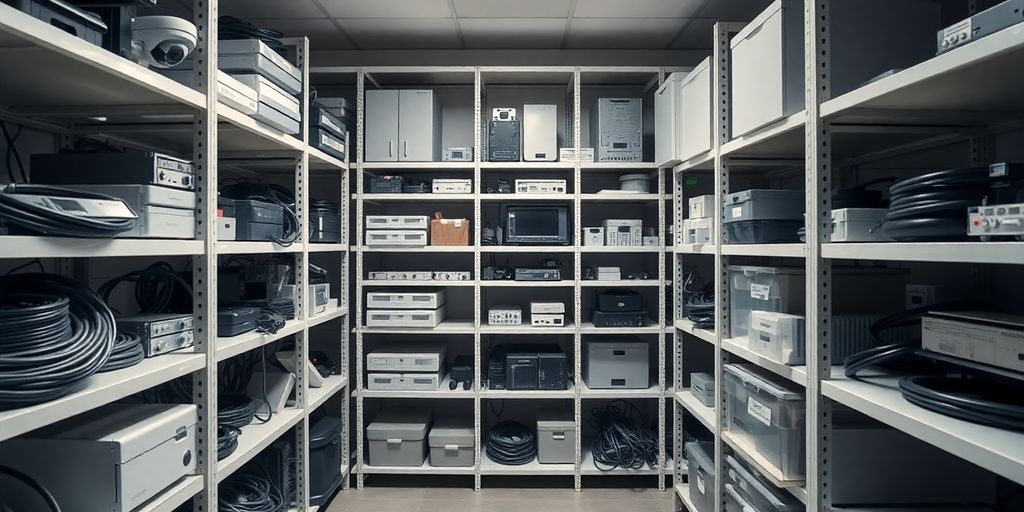
Maximising Storage Efficiency
To ensure that your CCTV system operates effectively, it is crucial to maximise storage efficiency. Here are some strategies to consider:
- Use high-capacity hard drives to store more footage.
- Implement network-attached storage (NAS) for easy access and management.
- Regularly review and delete unnecessary footage to free up space.
Implementing Compression Techniques
Compression techniques can significantly reduce the amount of storage needed. Consider the following:
- Use H.264 or H.265 compression formats for video files.
- Adjust the resolution and frame rate based on the area being monitored.
- Schedule recordings to only capture during specific times, reducing unnecessary data.
Managing Retention Policies
Establishing clear retention policies is essential for effective storage management. Here are some key points:
- Determine how long footage needs to be kept based on legal requirements.
- Regularly review and update your policies to adapt to changing needs.
- Ensure that your system automatically deletes old footage to maintain storage limits.
Regular Maintenance and Upgrades
To keep your CCTV system running smoothly, regular maintenance and upgrades are necessary. Consider these actions:
- Schedule routine checks to ensure all components are functioning properly.
- Upgrade storage devices as technology advances to improve efficiency.
- Keep software updated to benefit from the latest features and security enhancements.
Regular maintenance not only extends the life of your CCTV system but also ensures optimal performance and reliability.
Enhancing Security with Advanced Features
Utilising Motion Detection
Motion detection is a vital feature in modern CCTV systems. It allows cameras to record only when movement is detected, saving storage space and making it easier to review footage. This feature can significantly enhance the efficiency of your surveillance system.
Setting Up Alerts and Notifications
Setting up alerts ensures that you are immediately informed of any suspicious activity. This can be done through:
- Email notifications
- SMS alerts
- Push notifications to your mobile device
Leveraging AI and Analytics
Artificial Intelligence (AI) can analyse video feeds in real-time, identifying unusual patterns or behaviours. This technology can help in:
- Reducing false alarms
- Enhancing threat detection
- Providing actionable insights for security personnel
Ensuring Compliance with Regulations
It is crucial to ensure that your CCTV system complies with local laws and regulations regarding privacy and data protection. This includes:
- Informing individuals that they are being recorded
- Storing footage securely
- Regularly reviewing your compliance status
By integrating these advanced features, you can create a more robust security system that not only protects your assets but also provides peace of mind.
Wrapping Up Your Watchtower Design
In conclusion, designing your watchtower with effective storage solutions and a solid plan is essential for keeping your records safe and organised. By carefully considering your needs and using the right tools, you can create a system that not only protects your important documents but also makes them easy to access when you need them. Remember, it’s all about finding the balance between security and convenience. If you’re ready to take the next step in improving your record storage, don’t hesitate to reach out to us. We’re here to help you every step of the way!
Frequently Asked Questions
What types of storage solutions are best for CCTV footage?
The best storage solutions for CCTV footage include both cloud and local options. Local storage is often faster and allows immediate access, while cloud storage offers convenience and remote access.
How can I ensure my CCTV data is secure?
To secure your CCTV data, use strong passwords, enable encryption, and regularly update your software. Additionally, consider using secure storage facilities.
What should I consider when planning my CCTV system?
When planning your CCTV system, think about the areas you want to cover, the types of cameras needed, and how to integrate with any existing systems.