
Can a CCTV Be Viewed Remotely?
Yes, you can view a CCTV remotely. With today’s technology, both residential and commercial CCTV systems offer this feature. As long as you have an internet connection, you can access live feeds and recorded footage on demand. Modern IP cameras and some advanced analogue cameras support this capability. Always check with the manufacturer before buying a CCTV system to ensure it meets your needs.
Understanding Remote Access
Remote access allows you to monitor your CCTV cameras from anywhere in the world. This is usually done through a smartphone app or a web interface. Having remote access means you can respond to incidents in real-time, enhancing your security.
Benefits of Remote Viewing
Remote viewing offers several advantages:
- Real-time monitoring
- Quick response to incidents
- Convenience of accessing footage from anywhere
- Enhanced security for both homes and businesses
Common Challenges and Solutions
While remote viewing is beneficial, it comes with challenges like connectivity issues and security risks. To overcome these, ensure you have a stable internet connection and use strong passwords. Regularly update your software to protect against vulnerabilities.
Setting up everything properly will make remote viewing easy and hassle-free. Always follow the manufacturer’s guidelines for the best experience.
Various Ways to View Your CCTV Camera Recordings
Once you have set up your cameras and configured them for internet access, it’s time to explore the different ways to view your camera feeds remotely. Here are some options to get you started:
Using a Smartphone App
To view your CCTV footage on your smartphone, follow these steps:
- Download the manufacturer’s app from the App Store (iOS) or Google Play Store (Android).
- Install the app on your smartphone.
- Launch the app on your device.
- Scan the QR code on your camera or recorder using the app.
- Follow the app instructions to add your camera or recorder.
- Start viewing the live feed from your camera through the app.
Accessing via Web Interface
Many CCTV systems offer a web interface for remote viewing. Log in to the web portal provided by your camera manufacturer using your credentials. This method allows you to monitor your camera feeds from any computer with internet access.
Employing Remote Desktop Software
Another way to view your CCTV recordings is by using remote desktop software. This method involves accessing your home or business computer from a remote location. Ensure your computer is on and connected to the internet. Use remote desktop software to log in and view your CCTV footage as if you were sitting right in front of your computer.
With these methods, you can have peace of mind knowing that you can monitor your property from virtually anywhere in the world.
How to Monitor Your Home CCTV System on the Web
Setting Up DVR/NVR for Remote Viewing
To start, ensure your DVR or NVR is properly configured for remote access. This involves connecting the device to your home network and enabling remote viewing settings. Make sure to follow the manufacturer’s instructions for the best results. Once set up, you can access your CCTV footage from anywhere.
Using IP Address for Remote Monitoring
You can monitor your CCTV system by using its public IP address. Follow these steps:
- Find your camera system’s public IP address.
- Open a web browser on your device.
- Enter the IP address followed by the port number in the address bar.
- Log in with your camera system credentials.
- Access the camera interface to view live feeds and recordings.
Top Security Cameras for Remote Viewing
When choosing a security camera for remote viewing, consider the following options:
- Cameras with high-resolution video quality
- Devices that offer night vision
- Systems with motion detection and alerts
- Cameras that support cloud storage for easy access
With the right setup, you can keep an eye on your home from anywhere in the world, ensuring peace of mind and enhanced security.
Exploring Pro-Vigil’s Remote Viewing Software
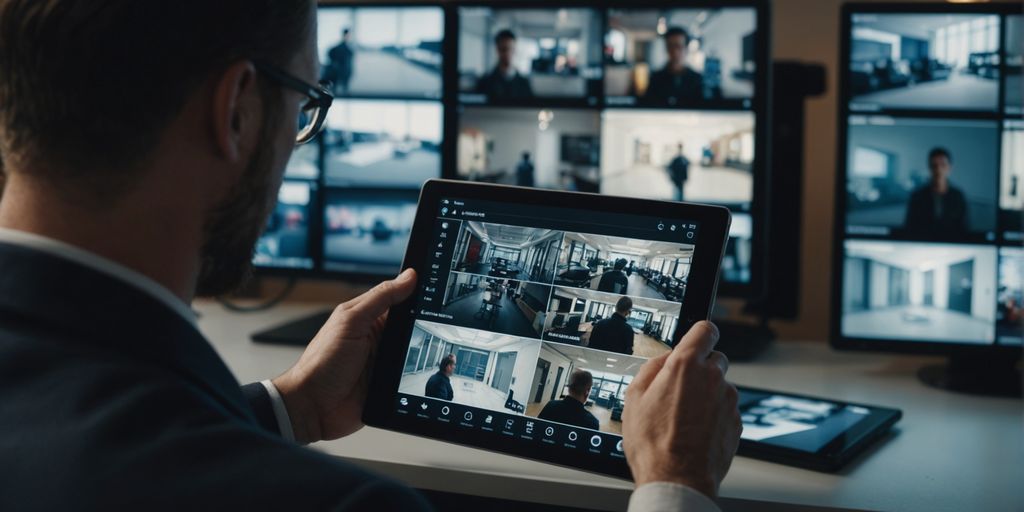
Pro-Vigil’s remote viewing software offers a comprehensive solution for monitoring your CCTV cameras from anywhere. This proprietary software allows you to log in and check your HD cameras, arm location-specific security, and even monitor the health of your IP-enabled cameras. The software is free to download and provides a seamless way to keep an eye on your property using the internet.
Conclusion
In today’s world, keeping an eye on your property from anywhere is easier than ever. With the right setup, you can view your CCTV footage remotely using various methods like mobile apps, web interfaces, and more. This means you can always stay connected and ensure your home or business is safe, no matter where you are. So, take the time to set up your system properly, and enjoy the peace of mind that comes with knowing you can check in anytime, from anywhere.
Frequently Asked Questions
Can I watch my CCTV cameras from anywhere?
Yes, you can watch your CCTV cameras from anywhere if they are set up for remote viewing. This means you need to connect your cameras to the internet and use a smartphone app, web interface, or remote desktop software to access the footage.
What are the benefits of remote CCTV viewing?
Remote CCTV viewing lets you keep an eye on your property from anywhere in the world. It can help you respond quickly to any incidents and give you peace of mind when you are away from home or the office.
How do I set up my CCTV system for remote viewing?
To set up your CCTV system for remote viewing, you need to connect your cameras to the internet. This usually involves configuring your DVR/NVR or IP cameras with an IP address and using a smartphone app or web interface to access the footage. Make sure to follow the instructions provided by your camera manufacturer.